

Guides How To Use PubCaseFinder
DiseaseSearch

This service is a rare and hereditary disease search system that presents rare and genetic diseases, as well as causative genes, ranked according to their relevance to a patient’s symptoms. The search results can also be efficiently filtered and refined.
Simple and convenient search
You can search simply by entering signs and symptoms, and it is also possible to perform searches by automatically extracting symptoms from clinical records.
Four types of rankings
It provides four types of rankings: hereditary diseases, rare diseases, genes, and clinical cases.
High search accuracy enabled by rich data and precise analysis.
For details, please refer to the following publication(s).
Fujiwara, T., Shin, J. M., & Yamaguchi, A. (2022). Advances in the development of PubCaseFinder, including the new application programming interface and matching algorithm. Human mutation, 10.1002/humu.24341. Advance online publication.

Convenient functions of DiseaseSearch Pickup
PickupNavigate parent and child symptom concepts easily
By clicking on an entered symptom, you can navigate to broader parent categories or more specific child categories. Selecting the most appropriate symptom helps improve the accuracy of the search results.
PickupAccurate refinement through multi-layered filtering
In addition to the Basic Filter and Advanced Filter, filtering by gene panels is also supported. By combining multiple criteria—such as symptoms, diseases, mode of inheritance, and age group—you can more precisely narrow down candidate diseases.
PickupShare and reuse data
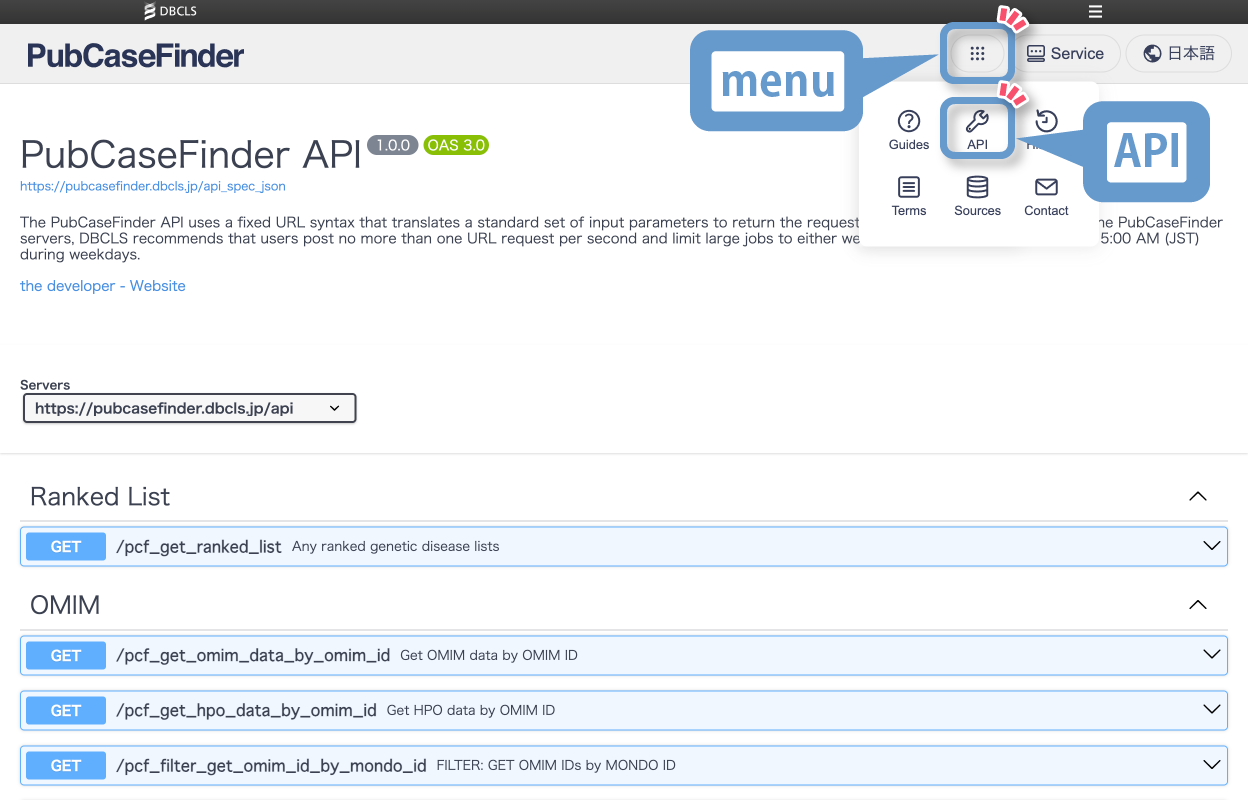
Search results can be downloaded and shared for reuse in various contexts. In addition, the search function is available via API, enabling integration with external systems.
User guide
Search methods
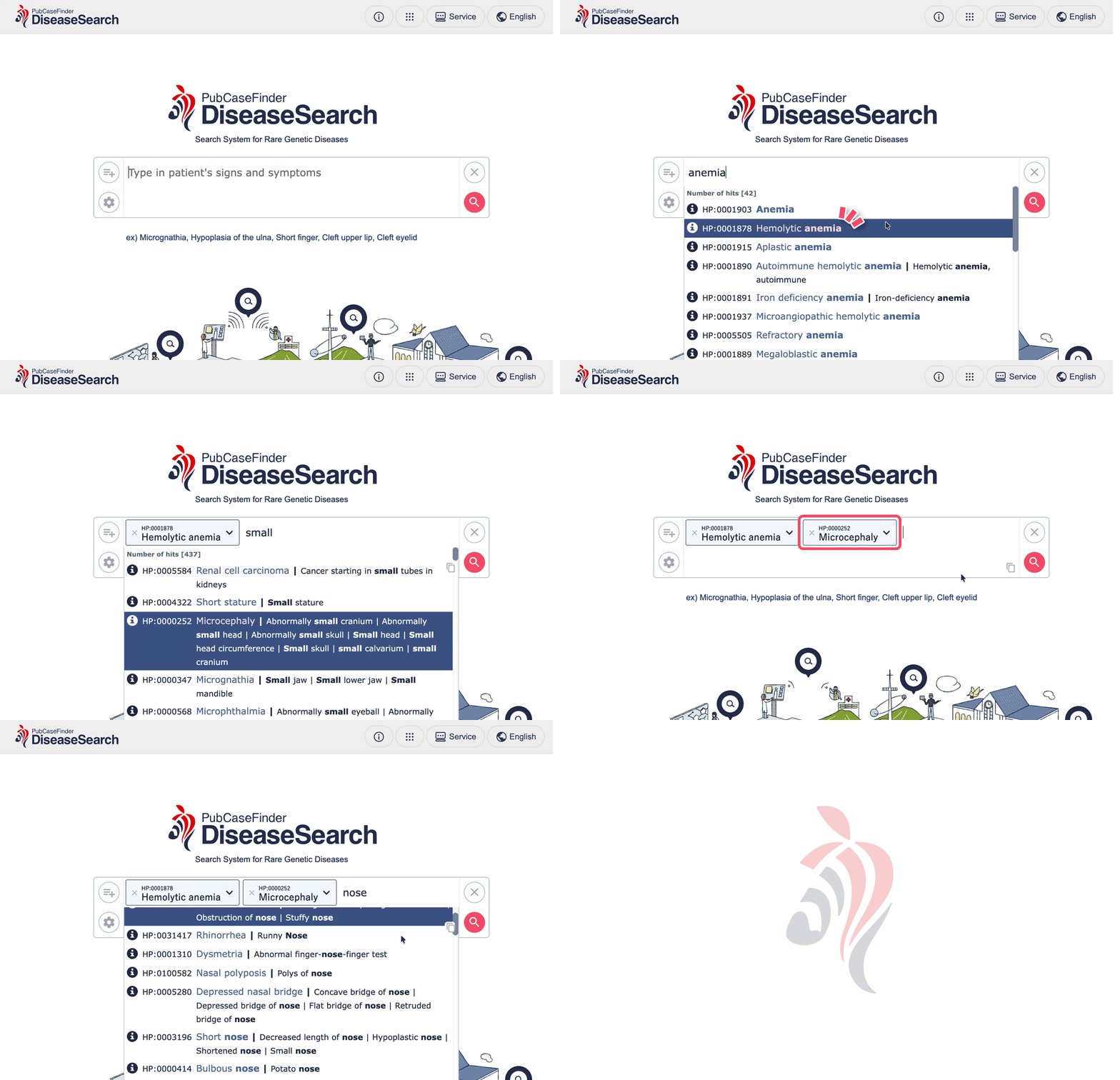
Enter the patient’s signs or symptoms
When you enter a specific symptom (e.g., “anemia”), a list of related candidates will be displayed. Select and add the appropriate symptom, and once you have finished entering all symptoms, click the search button.Sample symptoms can be entered instantly via the link below the search box.
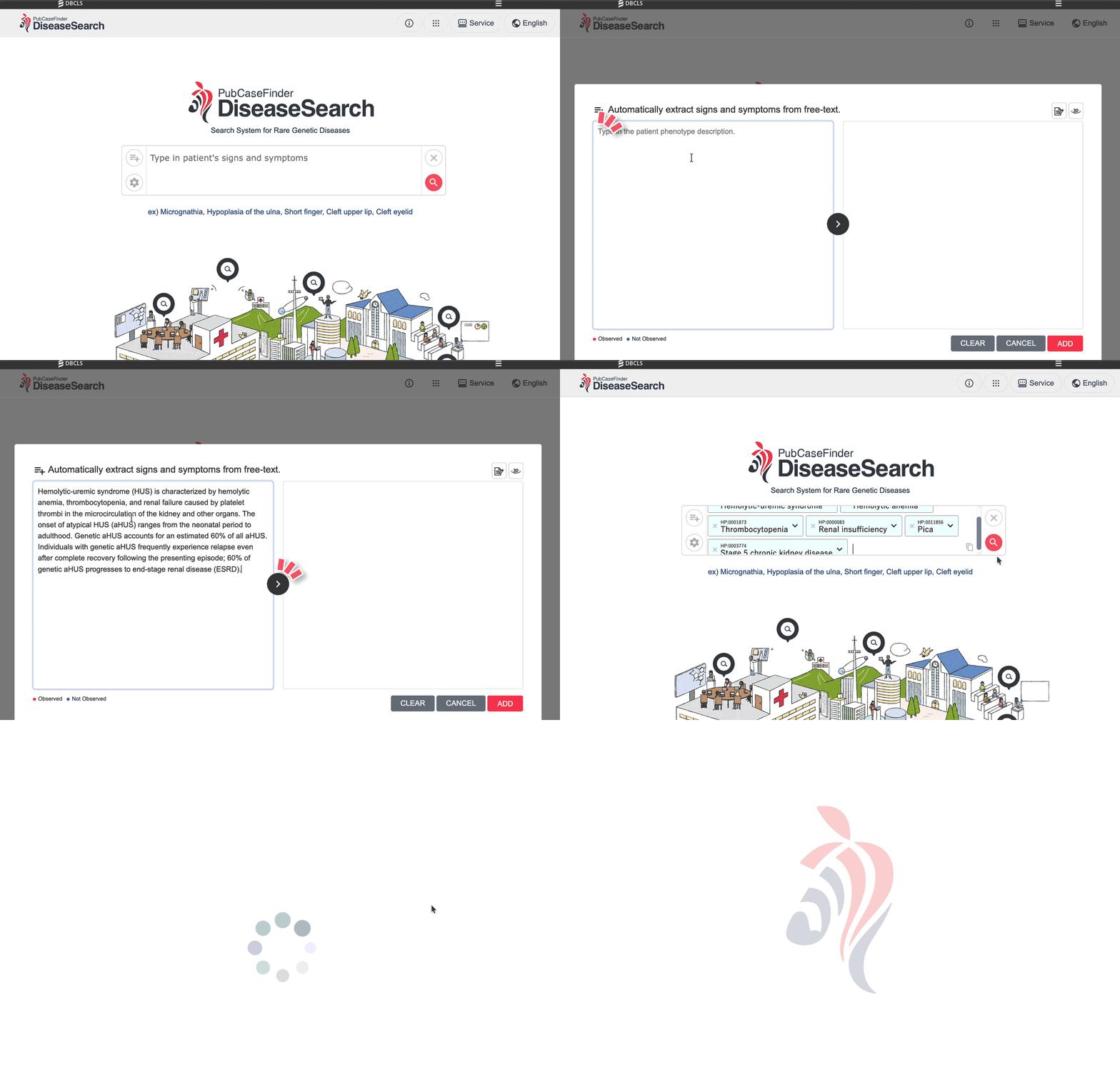
Automatically extract symptoms from text
It automatically extracts candidate symptoms from text such as clinical notes.
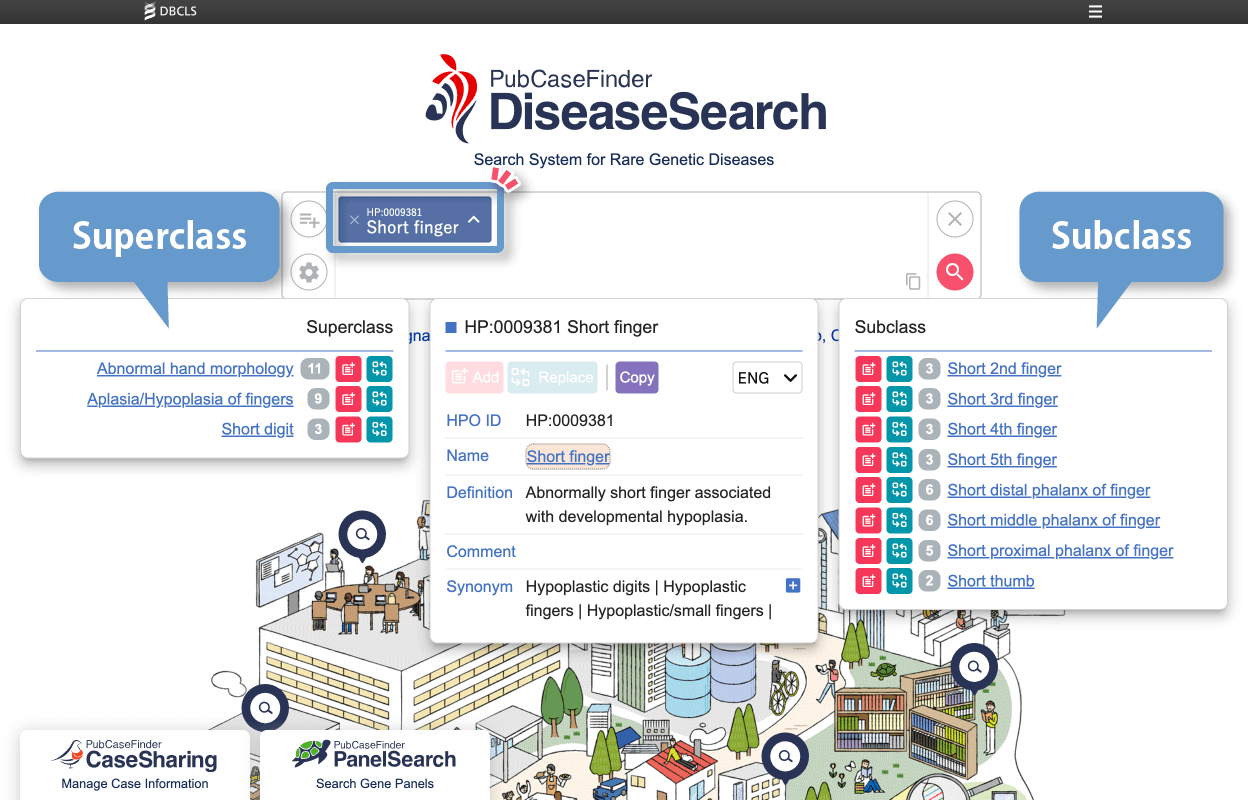
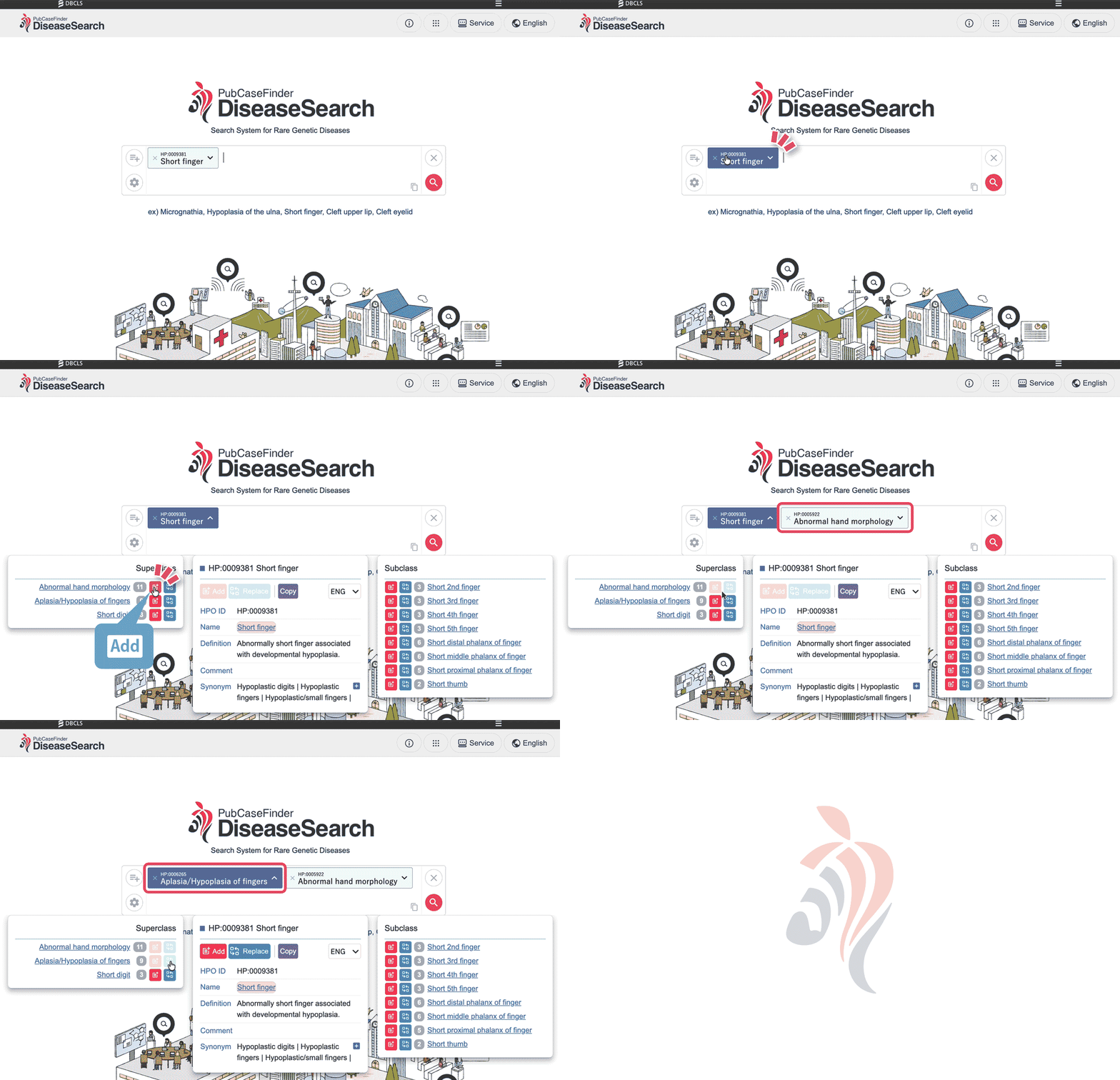
Navigate parent and child symptom concepts
By clicking on a displayed symptom, you can navigate to its parent or child concepts.You can either add a new symptom or replace a selected symptom.
Parent concept (Superclass)
For a selected symptom, broader classifications (parent concepts) are displayed.From here, you can switch the selected symptom to a more general category.
Because symptoms can be reviewed hierarchically, it becomes easier to adjust the selection to better match the clinical presentation.
Child concept (Subclass)
For a selected symptom, more specific classifications (child concepts) are displayed.
From here, you can switch the selected symptom to a more detailed and specific term.
Because symptoms can be reviewed at a finer level of granularity, it becomes easier to select a description that more accurately reflects the clinical presentation.
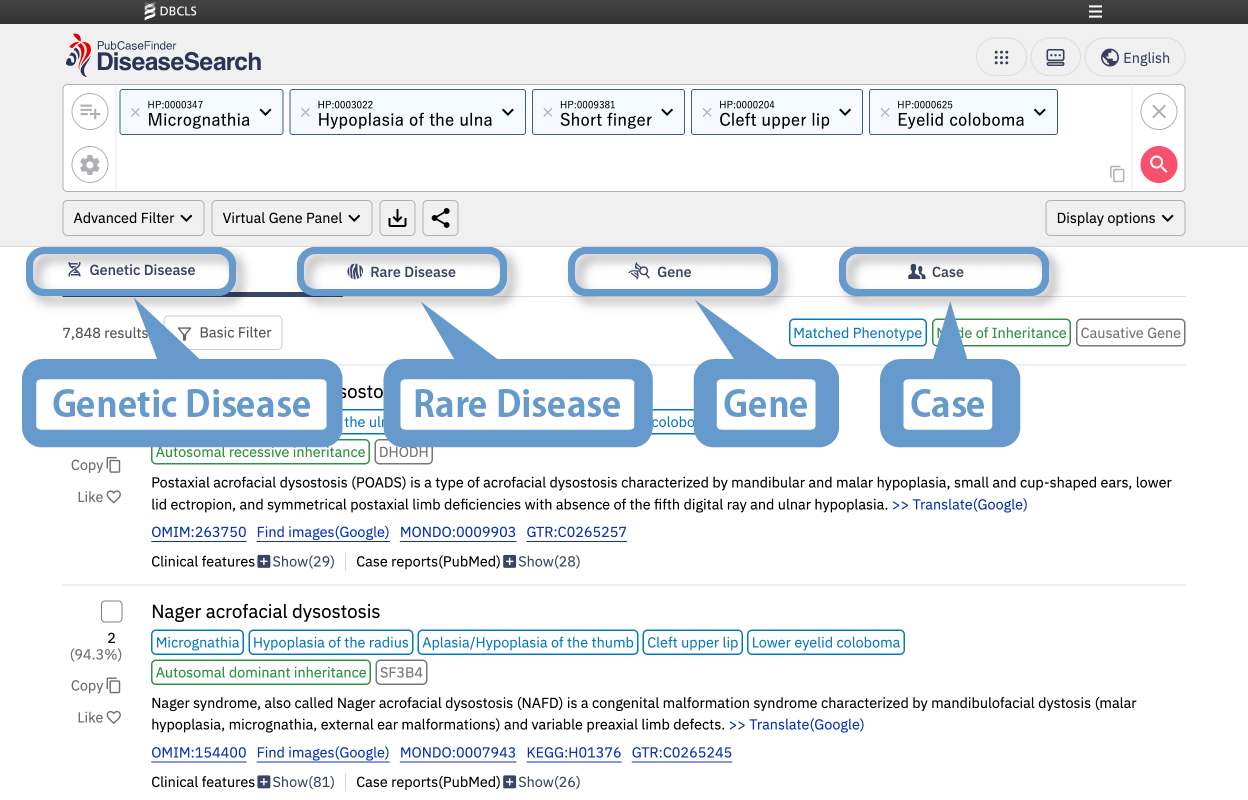
Switch between four types of rankings
You can choose from the following four types of ranking displays:
1. Hereditary diseases [Genetic Disease]
2. Rare diseases [Rare Disease]
3. Genes [Gene]
4.Clinical cases [Case]
Three types of filtering
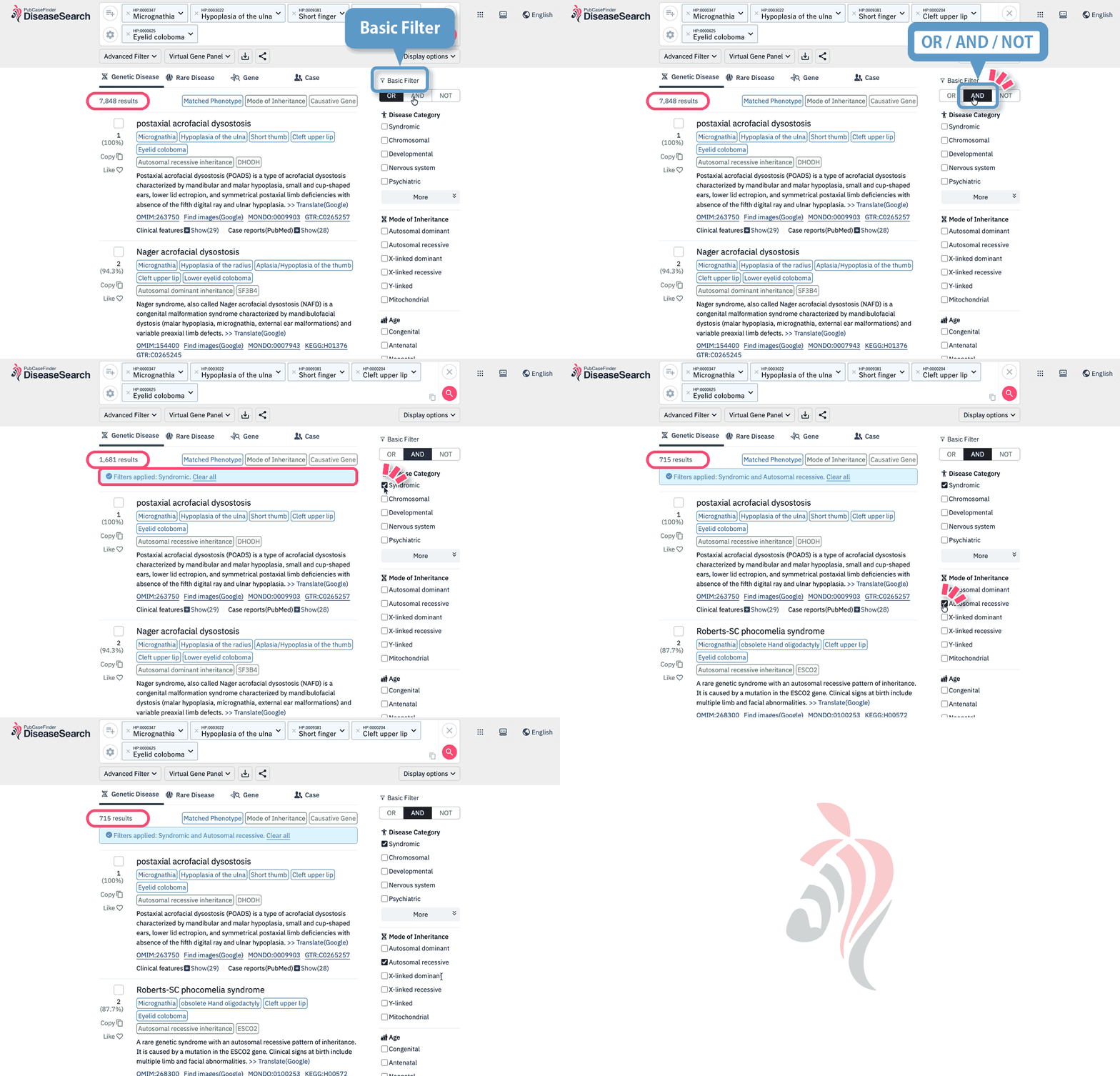
Basic Filter
You can refine the results by selecting from a total of 42 items across four categories: designated intractable diseases, suspected disease areas, mode of inheritance, and age group.
In addition, flexible filtering is supported using OR / AND / NOT conditions for the selected criteria.
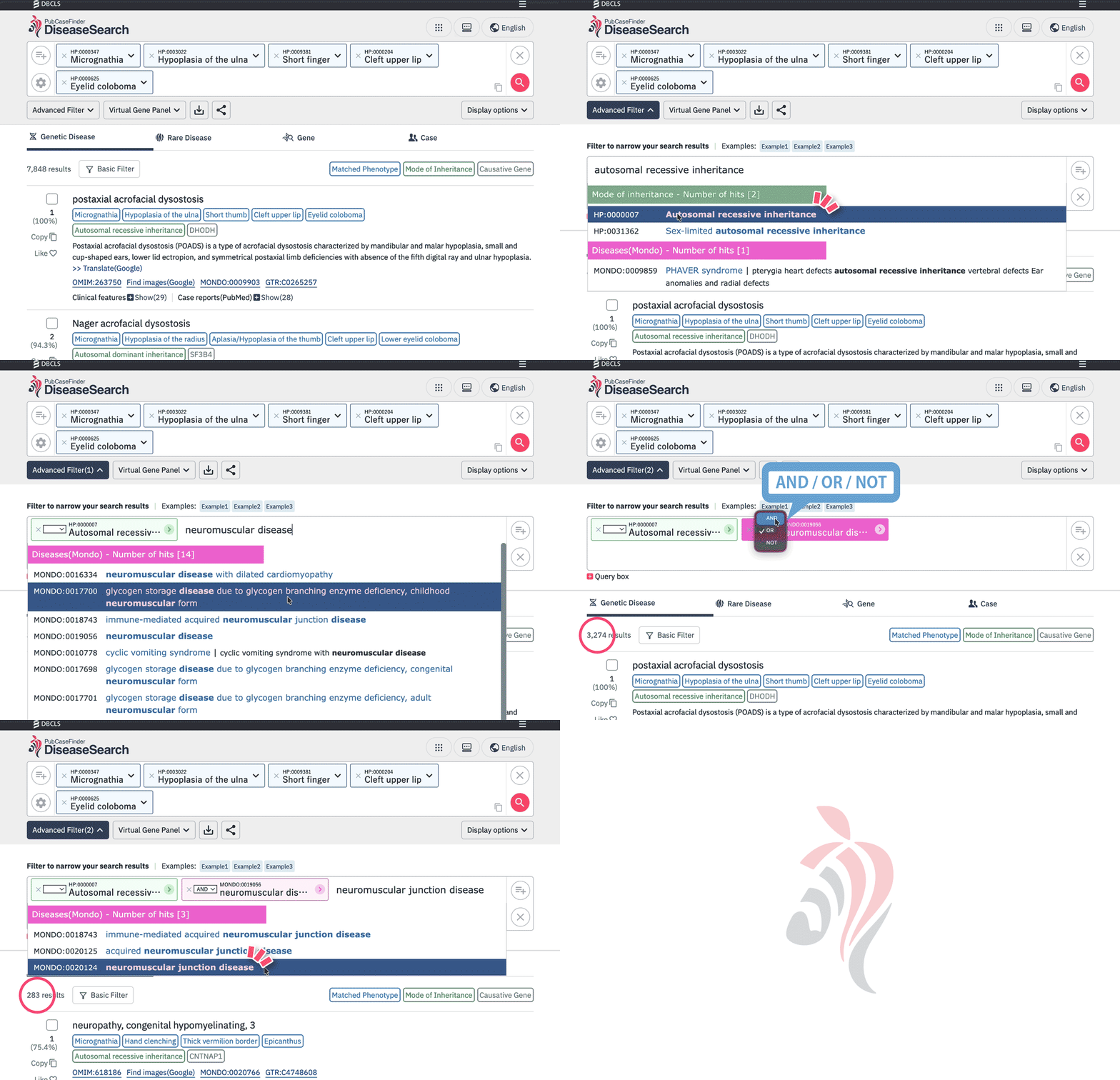
Advanced Filter
You can refine the results by directly entering a disease name, mode of inheritance, causative gene, or gene panel.
Even while typing, suggested disease names are displayed, allowing you to quickly select the appropriate option.
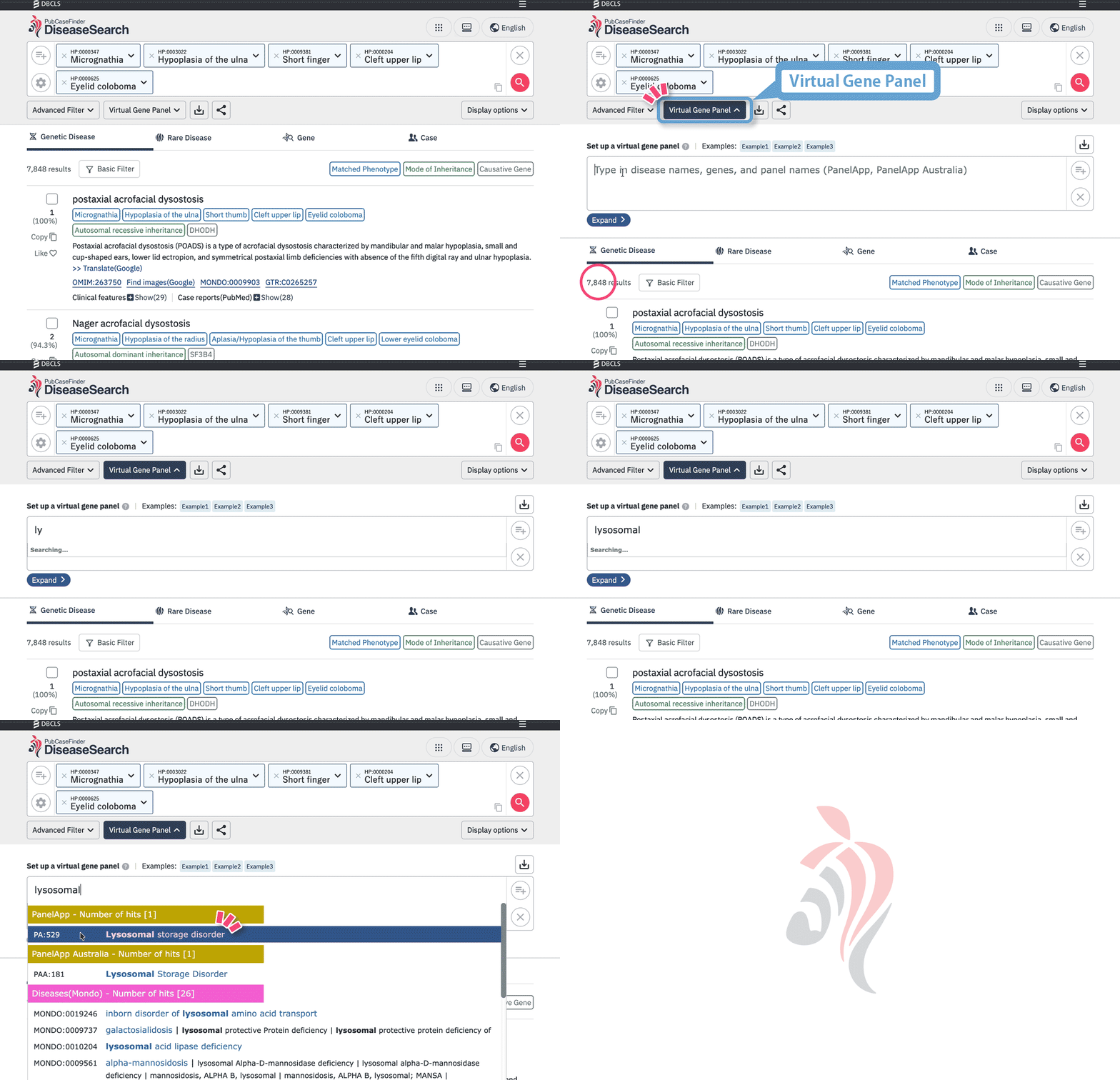
Virtual Gene Panel
You can select virtual gene sets constructed according to disease categories and characteristics.
By choosing a panel, filtering based on relevant genes becomes possible, allowing you to narrow down the search results in a more disease-specific manner.
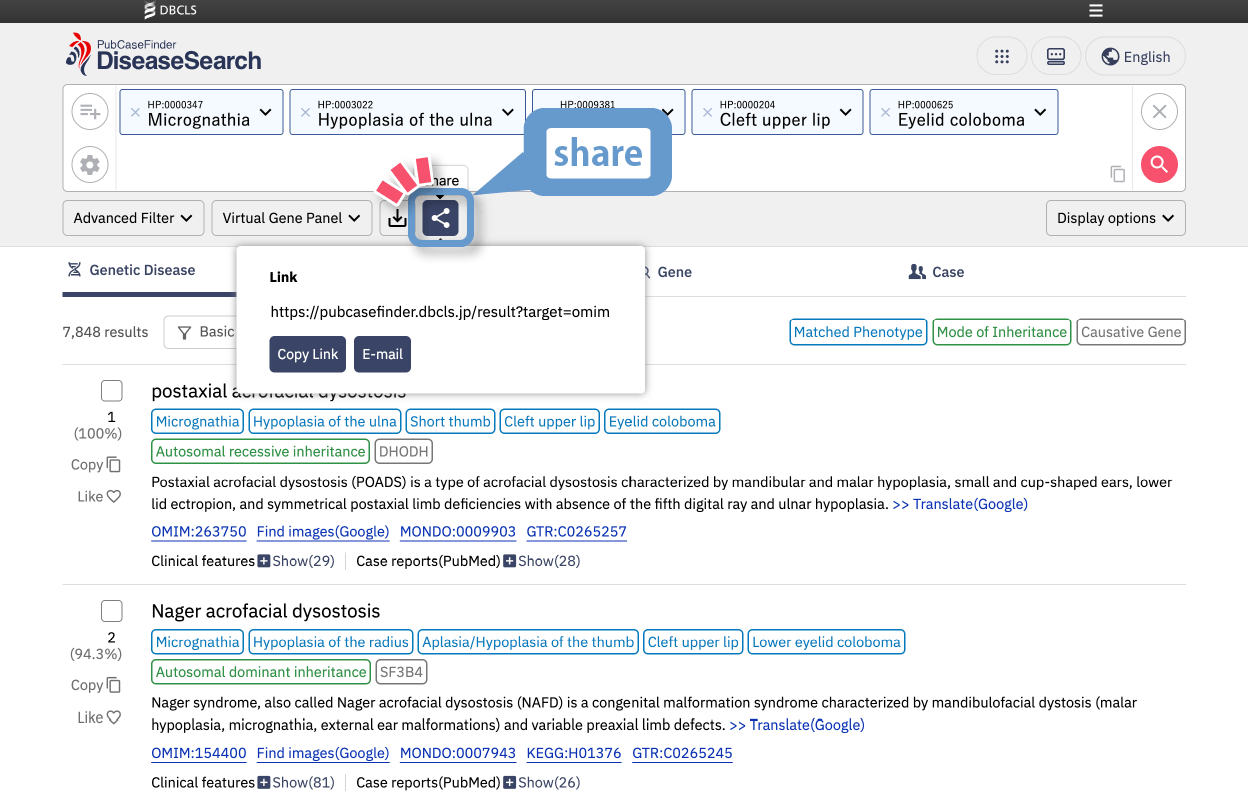
Share and reuse search results
Share
You can obtain a shareable link to allow other users to view the same results.
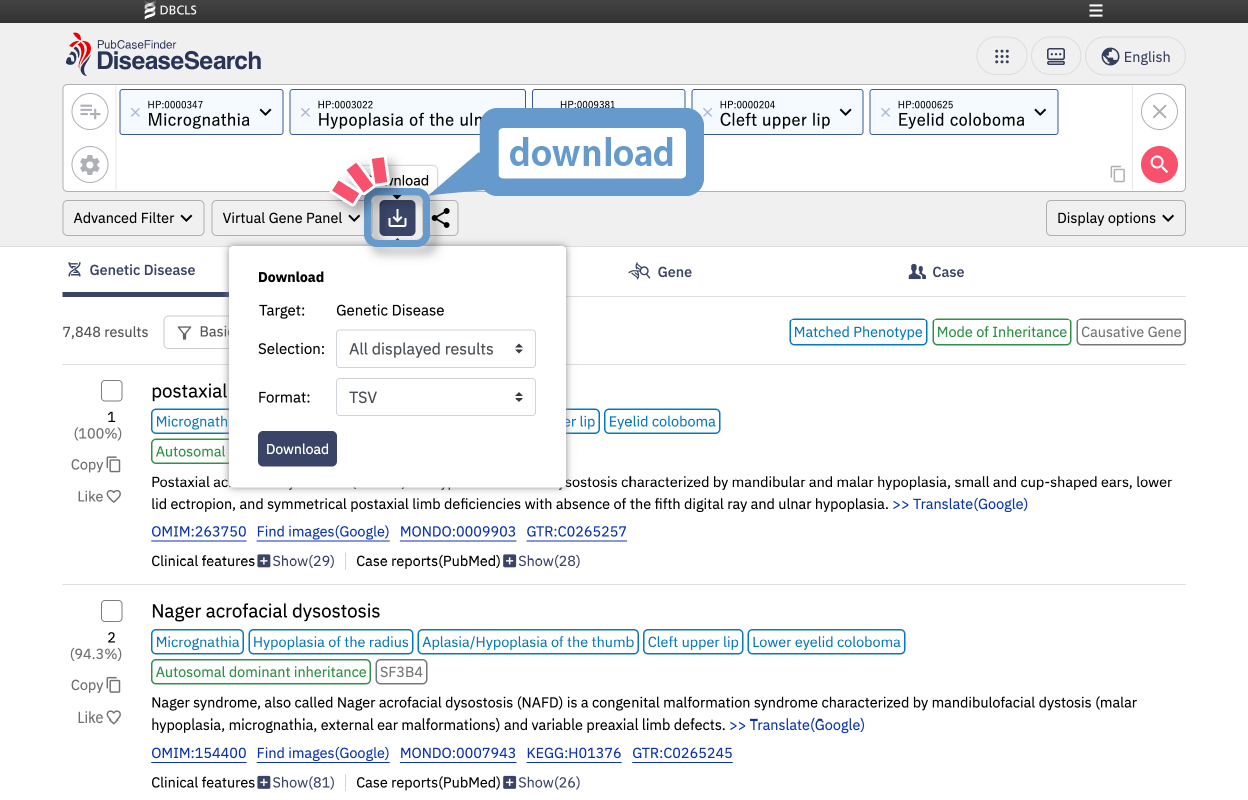
Download
Search results can be exported in TSV or JSON format.
You can choose one of the following download options:
1.Currently displayed results
2. All search results
3. Selected (checked) items