


Guides How To Use PubCaseFinder
PanelSearch

PanelSearch provides 10,786 non-empty virtual gene panels linked to the Mondo disease hierarchy. Users can find, inspect, combine, share, and download panels without creating an account.
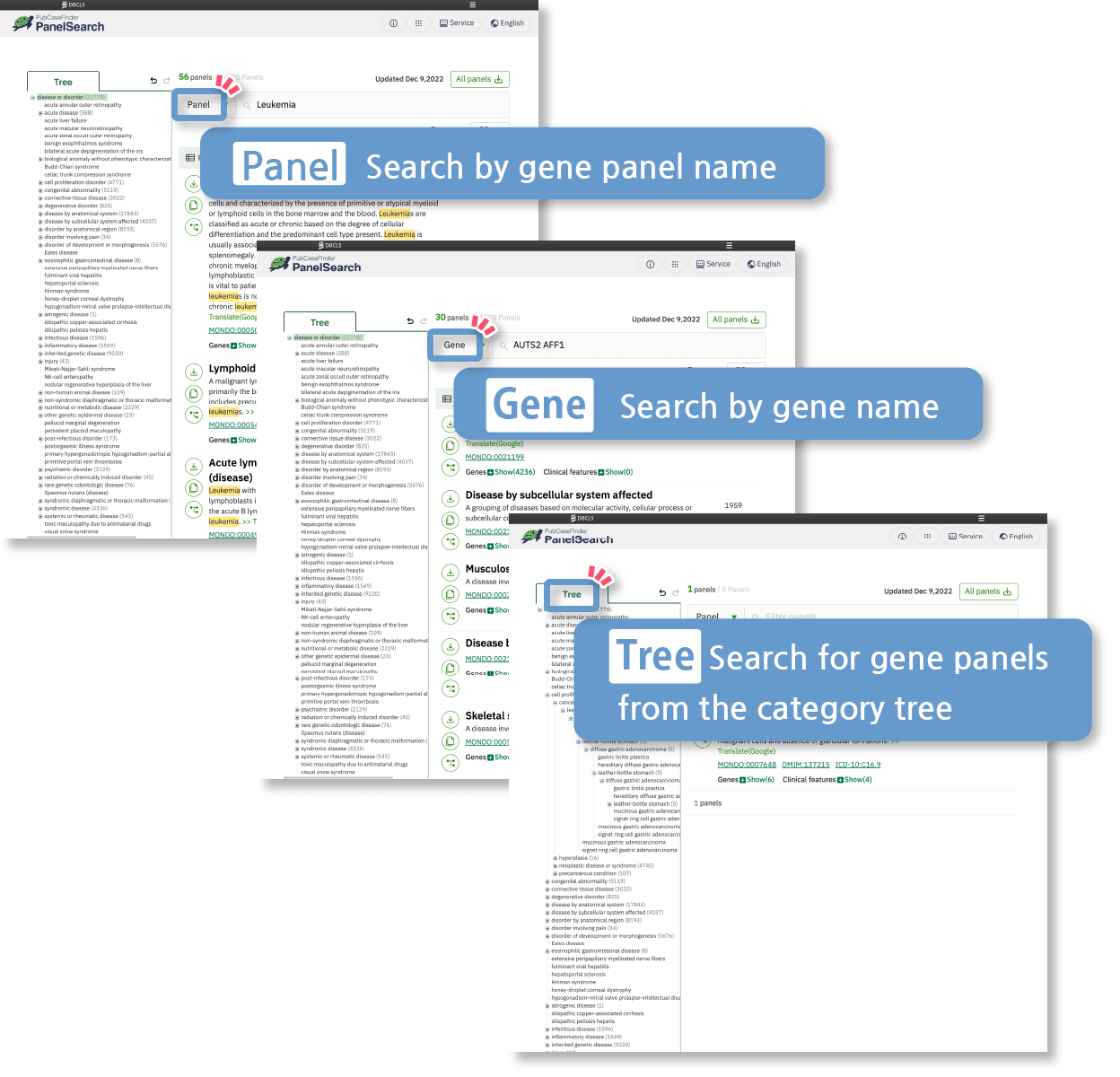
You can search for your target gene panel data using a variety of methods.
Browse the Mondo tree or search by disease-panel name, gene, or Human Phenotype Ontology (HPO) term. Phenotype search supports union, intersection, and an adjustable minimum number of matching terms.
You can download gene panel data.
You can download an individual panel, the complete panel collection, or the records for a custom panel as one file.
This helps facilitate the efficient clinical interpretation of genomic data.
For more details, please refer to the following publication.
Shin, J., Fujiwara, T., Saitsu, H., & Yamaguchi, A. (2025). Ontology-based expansion of virtual gene panels to improve diagnostic efficiency for rare genetic diseases. BMC Medical Informatics and Decision Making, 25(Suppl 1), 59.
Gene panel data for disease groups are being developed based on international public databases.
PanelSearch uses Mondo hierarchy relations and disease-gene evidence from international public resources, including OMIM, Orphanet, Mondo, and Definitive GenCC assertions.

Useful features of PanelSearch Pickup
PickupStart with the information available to you
Browse the Mondo tree or search by panel name, gene, or phenotype.
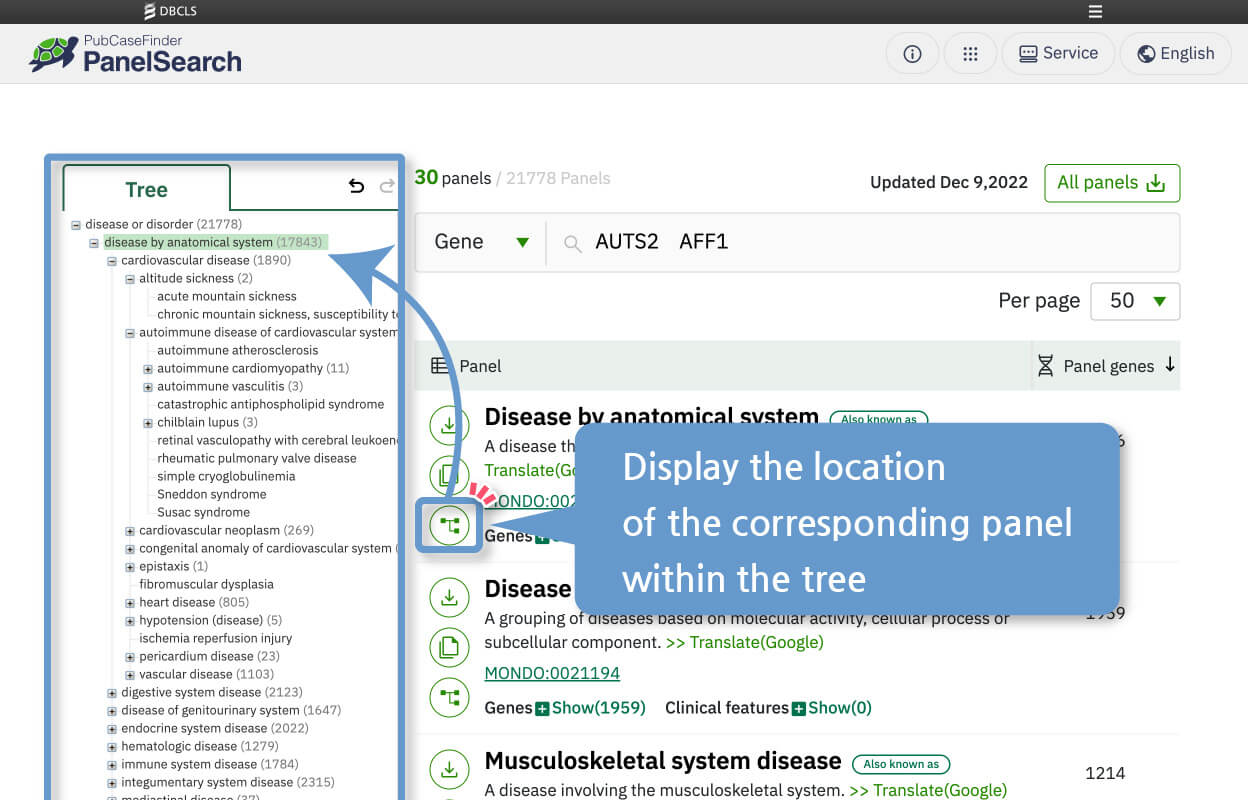
PickupDisplay related trees from search results
You can display the location of the corresponding panel within the tree based on the search results.
PickupBuild a reusable custom panel
Add panels from separate searches, keep their identities visible, share the combination by link, and download the selected panel records as one file.
How to Use
- Panel, gene, phenotype, and tree search
- Display gene lists
- Bulk download of all gene panel data
- Download individual gene panel data
- Copy gene panel information
- Display related category trees from search results
- Easily view browsing history
- Build and share a custom panel
- Use the case-prioritization API
Panel, gene, phenotype, and tree search
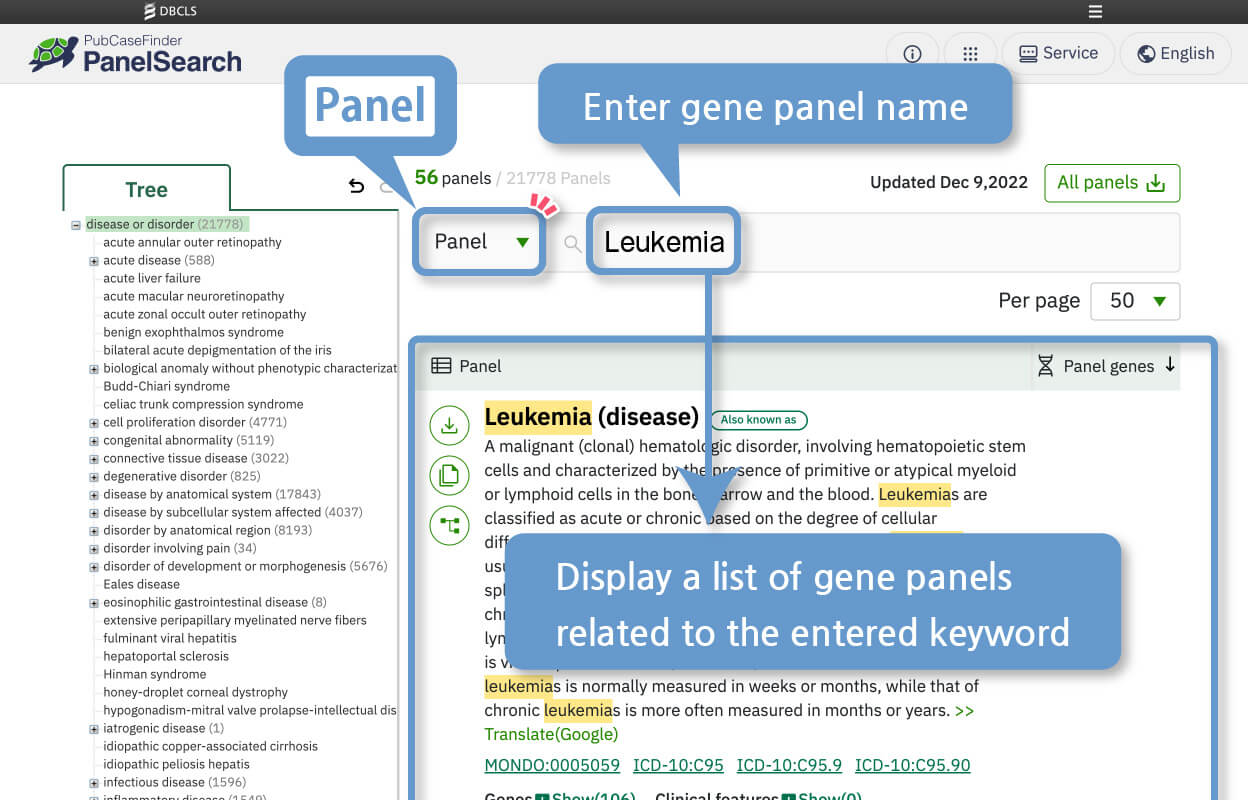
Panel Search
Search by Gene Panel Name
Displays a list of gene panels related to the entered keyword.
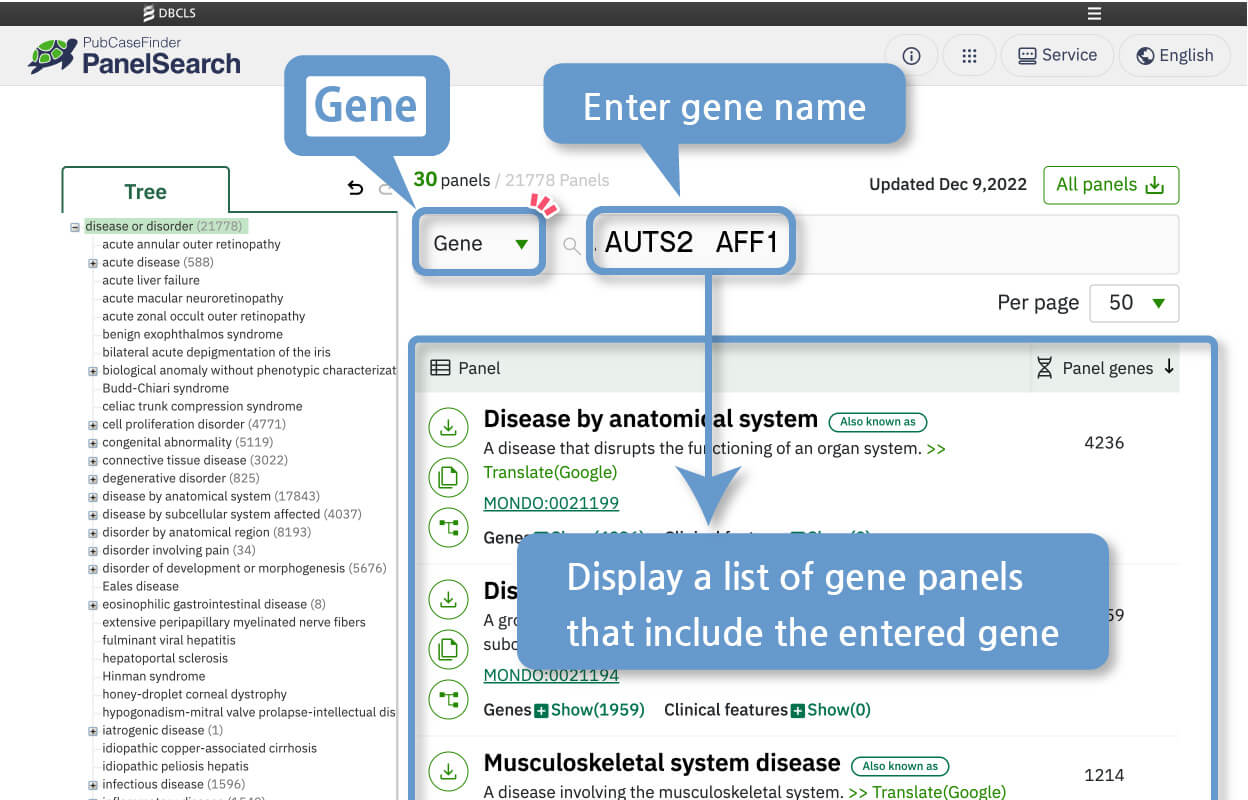
Gene Search
Search by Gene Name
Displays a list of gene panels that include the entered gene(s). By separating gene names with spaces, you can search using a combination of multiple genes.
Phenotype Search
Search by HPO Terms
Submit one or more HPO terms, then use Union, Intersection, or the minimum-match control to define how many terms a panel must match.
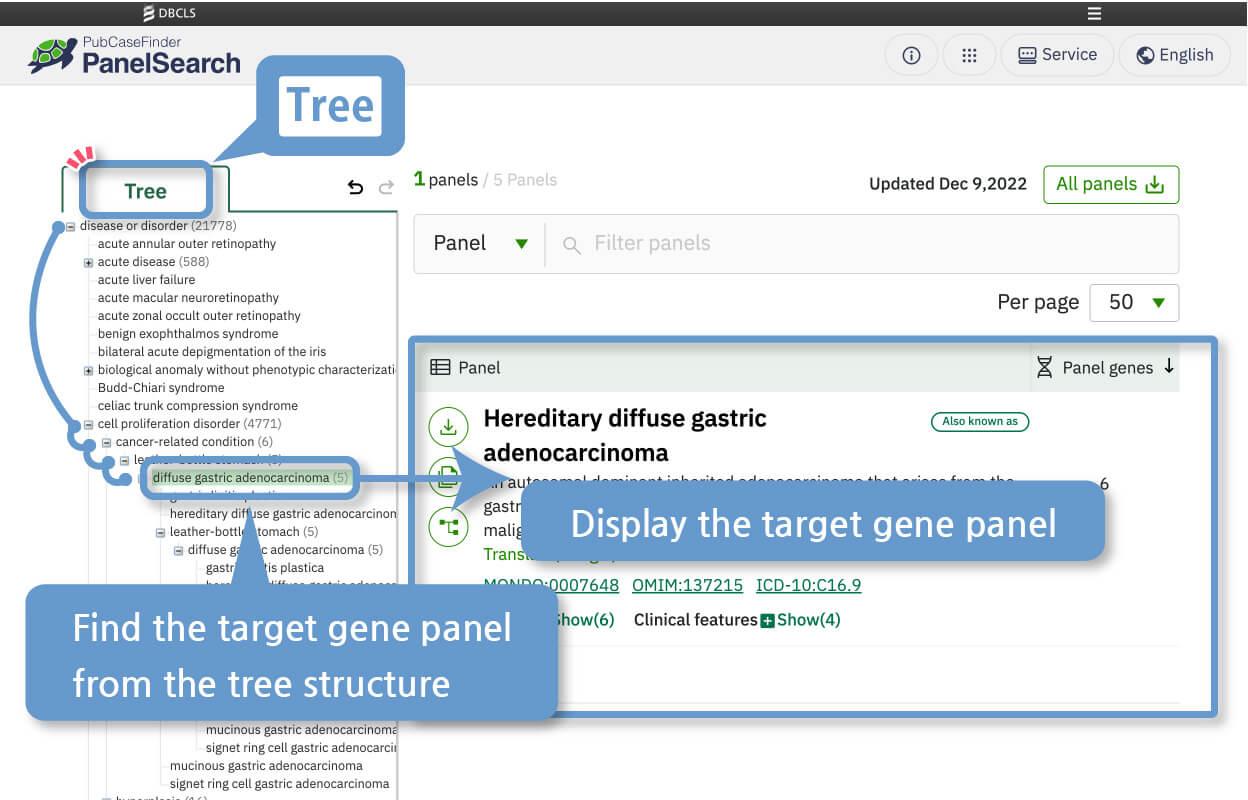
Tree Search
Search from the gene panel tree structure categorized by category
You can find your target gene panel through the tree structure of gene panels organized by categories.
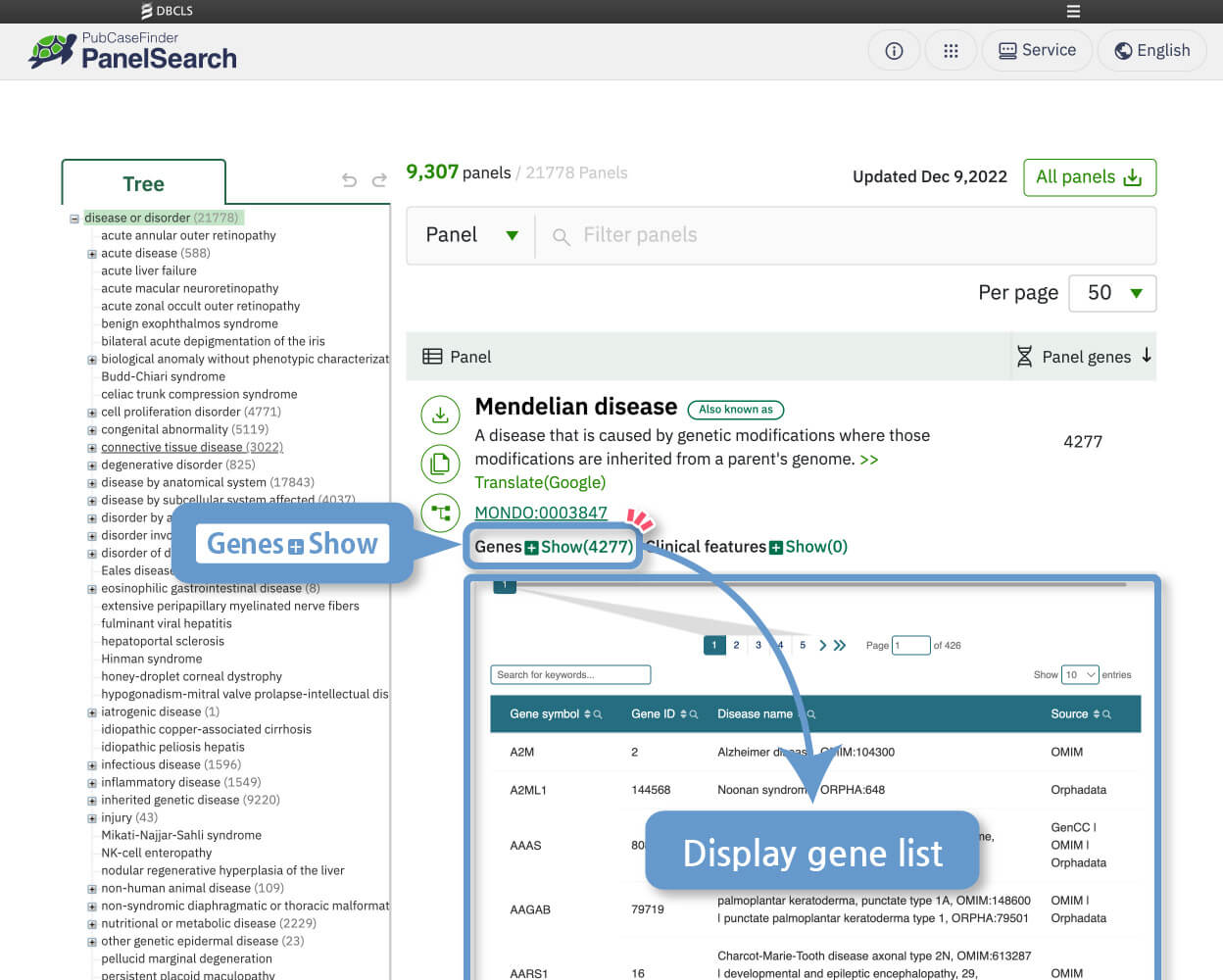
Display gene lists
You can display the gene list by clicking [Genes + Show] in the individual gene panel view.
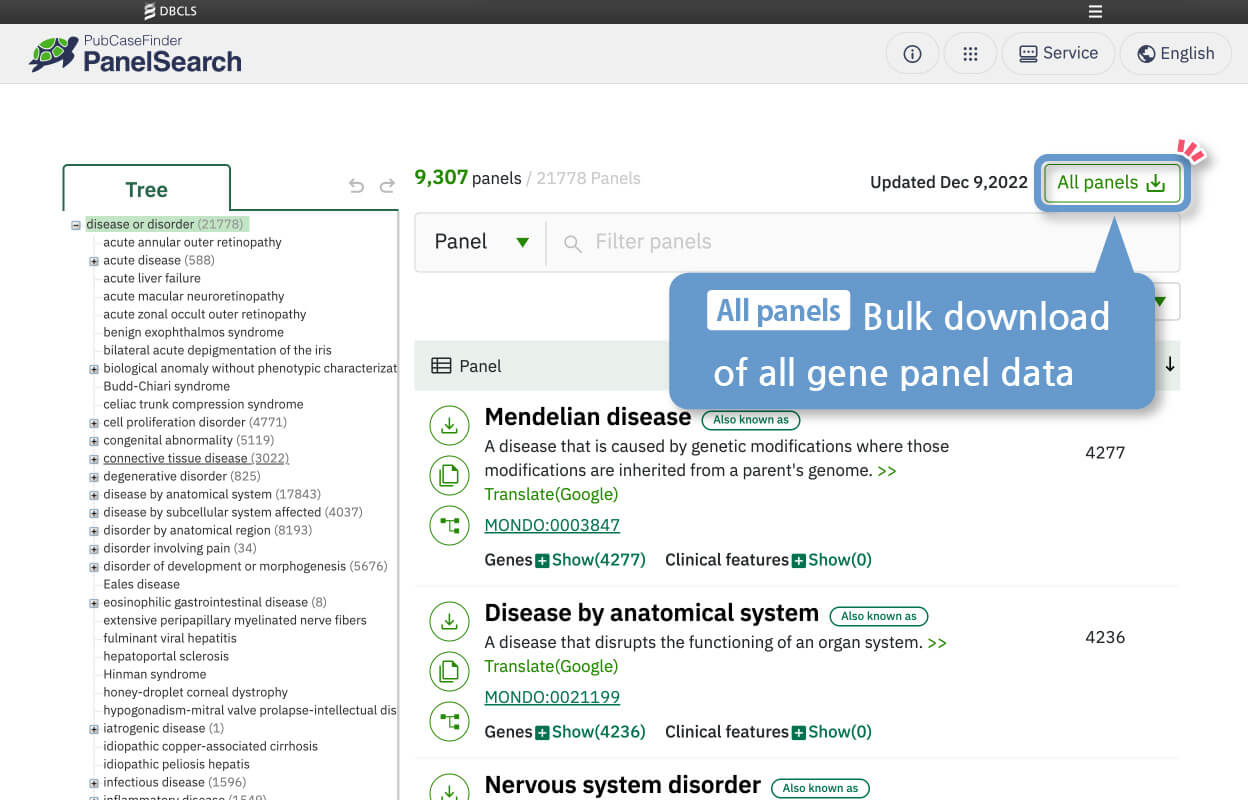
Bulk download of all gene panel data
You can download the complete current panel collection at once.
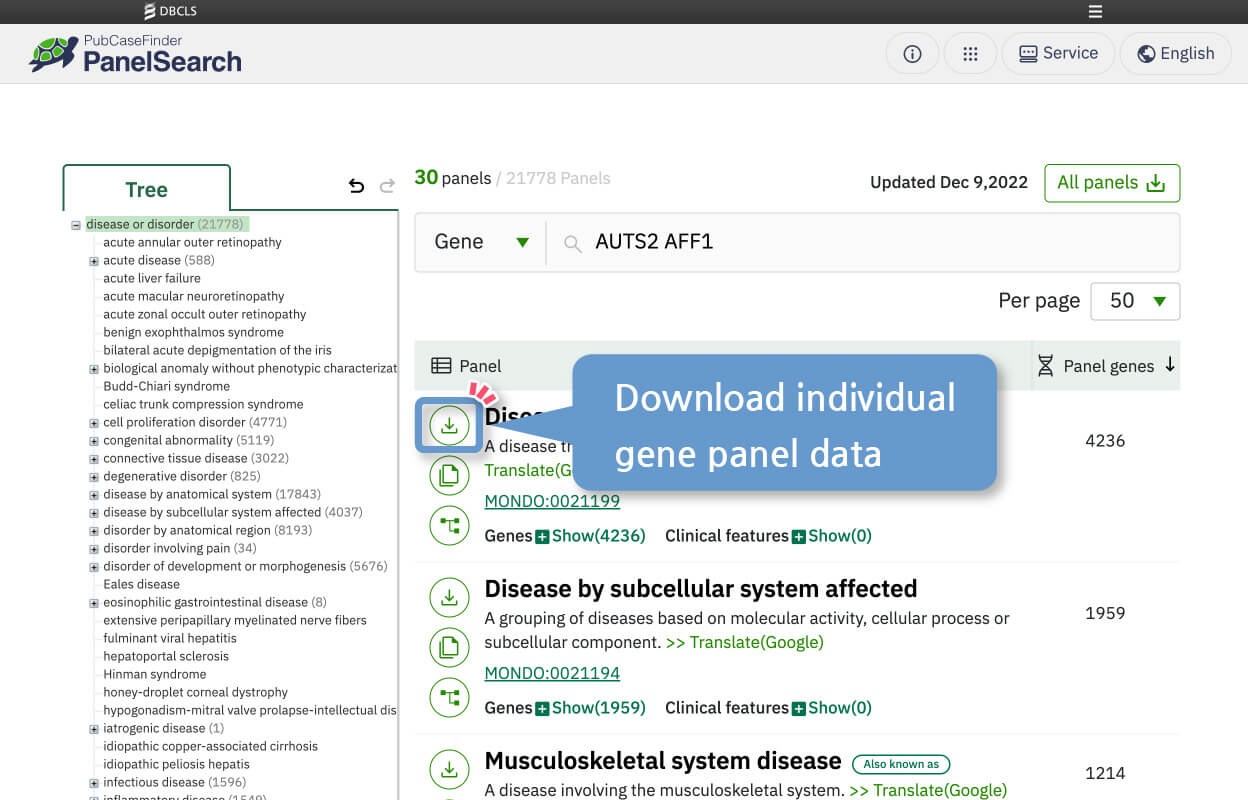
Download individual gene panel data
You can download individual gene panel data in .txt format.
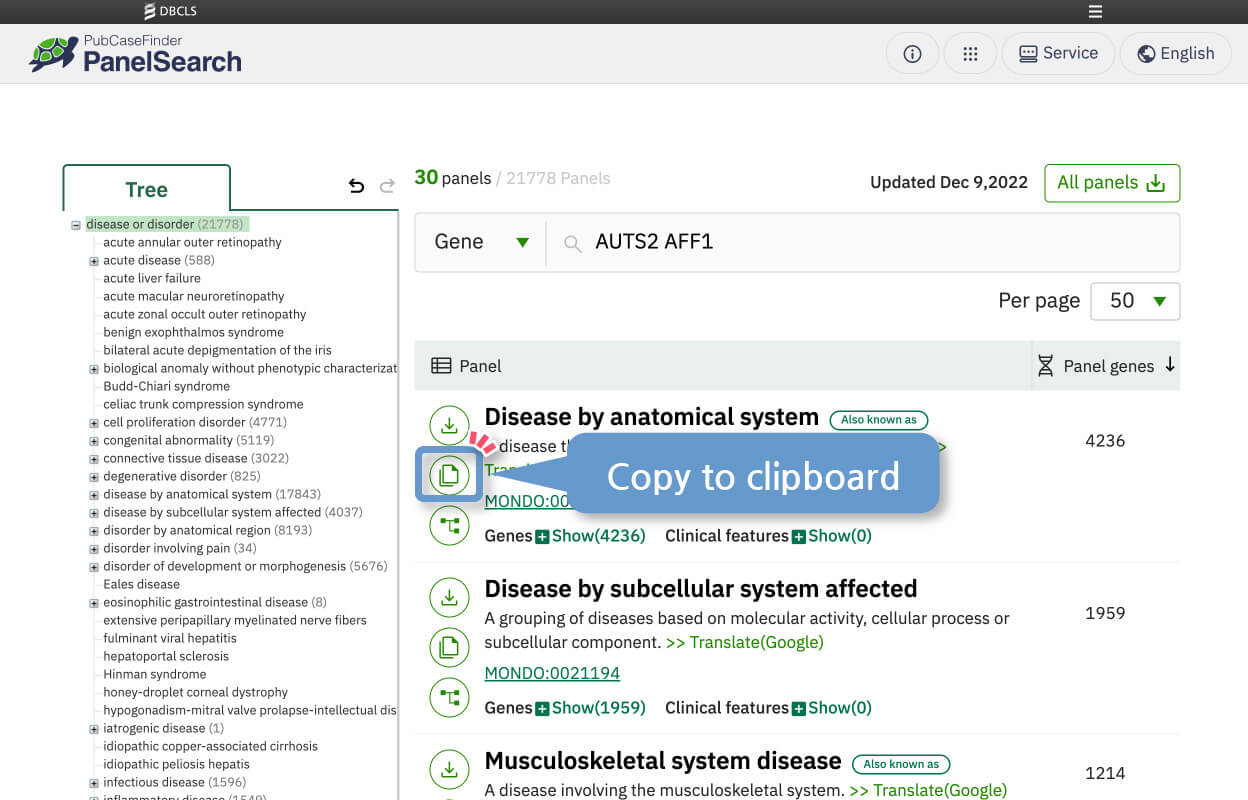
Copy gene panel information
With a simple button click, you can easily copy gene panel information to the clipboard and paste it into your own local files.
Display related category trees from search results
From the individual display of a gene panel in the search results, you can view the location of the corresponding panel within the tree structure.
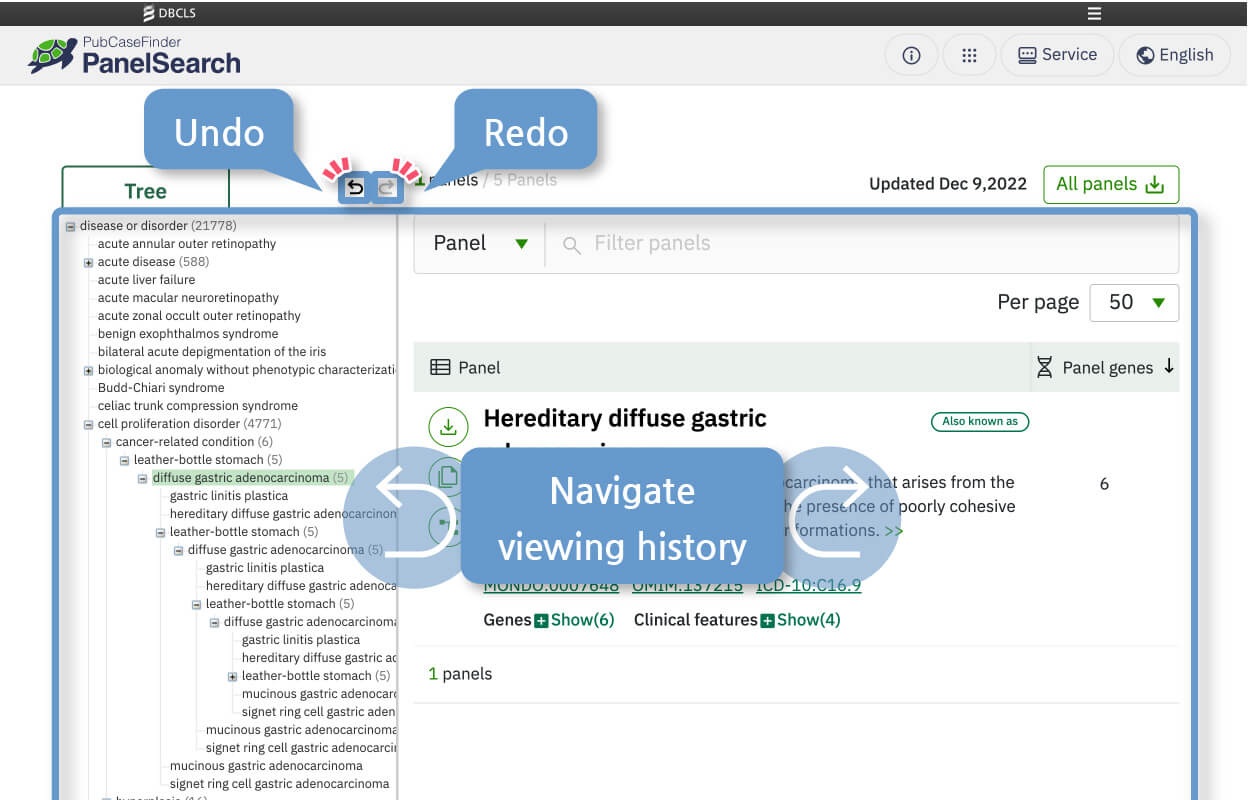
Easily view browsing history
You can freely navigate your viewing history using the undo and redo functions.
Build and share a custom panel
Add panels from any result list to the custom-panel workspace. You can name the custom panel, remove components, copy a shareable link, and download the component panel records as one file. Genes shared by more than one component panel may appear in more than one row.
Use the case-prioritization API
GET /api/pcf_panel_prioritize accepts comma-separated HPO identifiers and candidate gene symbols, together with Mondo identifiers for initial diagnoses when available. It first prioritizes the candidate genes using DiseaseSearch, then presents panel-included candidates first, followed by the other candidates, preserving the DiseaseSearch order within each group. The JSON response contains all submitted candidate genes after duplicate removal, with gene_symbol and a consecutive final rank starting at 1. See the API documentation and example requests and responses.
